
Real-time monitoring of your Azure Virtual Desktop environment.
2Steps connects to your AVD session host the same way a real user would, and takes over the live desktop. Instant performance alerts and full video replay of what your users actually experience.
Continuous insights on your AVD user flows
Azure Virtual Desktop powers remote access for some of the world's largest enterprises - without continuous monitoring, degradation goes undetected until users are already impacted.
AVD performance issues are invisible to infrastructure monitoring tools. Users experience slow sessions and application failures that metrics cannot explain.
2Steps connects to AVD the same way a real user would, then records that workflow once and replays it continuously - validating login, application response, and transaction completion at every cycle.
Catch AVD performance degradation before it impacts productivity. Video proof enables rapid root cause analysis and clear communication with Azure support.
A real user session, not a simulation
2Steps connects to your AVD desktop the same way a real user would, opening the live session and taking it over - not an API hook, not a scripted emulation.
Real desktop, real input
2Steps reads the actual rendered screen and drives it with real mouse clicks and keystrokes - the same inputs a person at the keyboard would send.
Works with anything on the session host
No API, SDK, or plugin required. If it runs inside that AVD session - line-of-business software, legacy thick clients, apps IT never built a connector for - 2Steps can test it.
Opens up what you can automate
Because the connection sits at the desktop layer, not the application layer, you're not tied to a handful of officially supported apps. Any workflow a user can complete inside that AVD session is a workflow 2Steps can monitor.
The apps that lost their monitoring in the move to Azure
When a legacy application gets lifted into AVD, whatever monitoring it had on-prem often doesn't come with it. IT gets visibility into the session host, but not into whether the application itself - the ERP transaction, the SAP GUI screen, the finance tool nobody's touched the code on in years - still works. Because 2Steps drives the desktop the same way a real user would, rather than through an API, it tests those applications the same way it tests anything else, with no migration project of its own.
- In-house and custom-built line-of-business applications
- SAP GUI, ERP, and finance system transactions
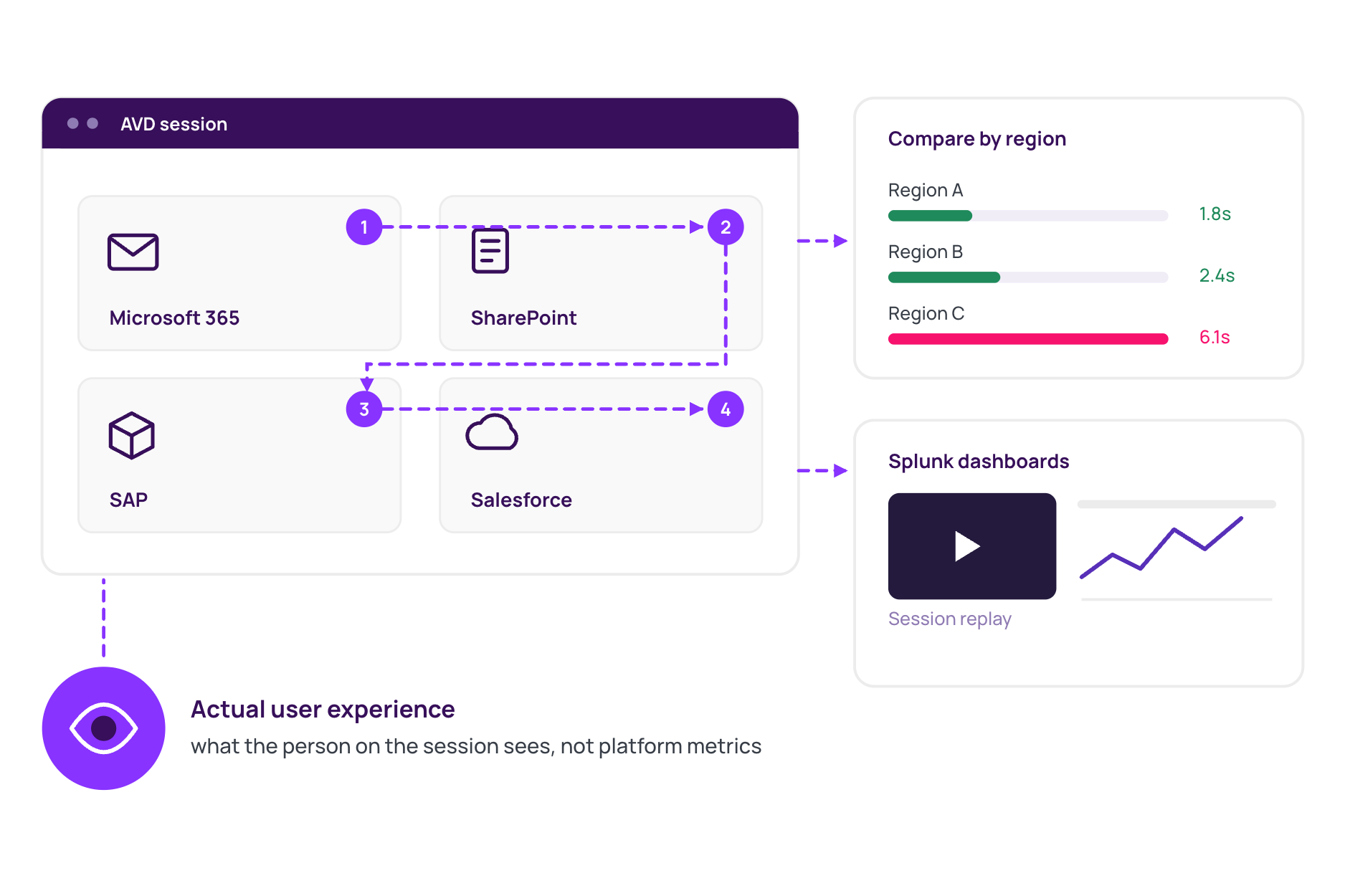
- Microsoft 365, SharePoint, and other apps published through AVD
Every result can be compared across regions, and streamed straight into Splunk alongside your existing dashboards.
What our customers are saying

See what your monitoring is missing.
Infrastructure monitoring tells you servers are up. 2Steps tells you whether users can actually log in, open a record, and complete a transaction.